


The 8-Step Setup Checklist
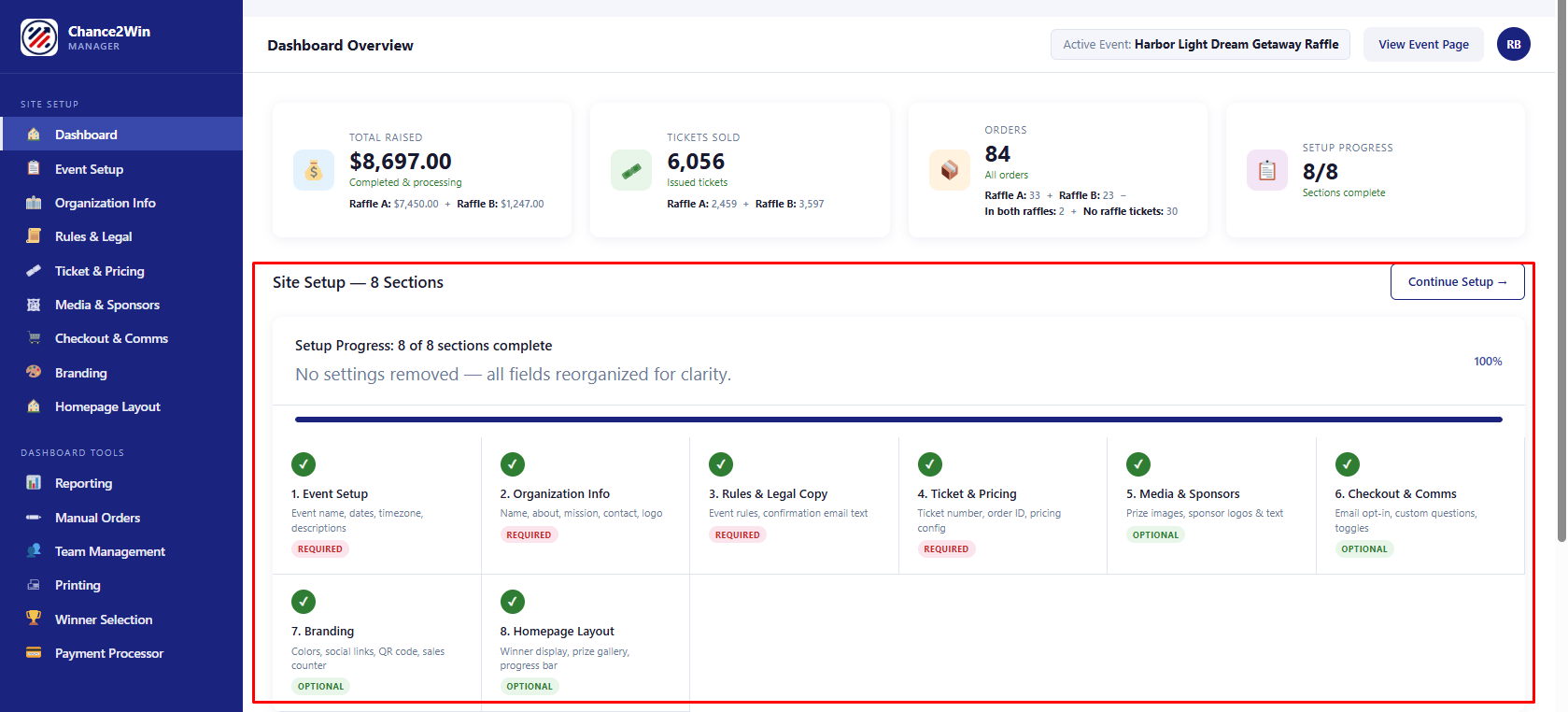
Eight sections stand between you and a live raffle page. Good news: only four are required, and none of them are hard. This is the map — what each section does, whether you can skip it, and the order we’d tackle them in.
The required three
You can’t launch without these, and honestly you wouldn’t want to:
- 1. Event Setup — your event’s name, dates, and description. The identity of the whole thing.Required
- 2. Organization Info — who you are, your mission, and how supporters reach you.Required
- 3. Rules & Legal Copy — the official rules of your raffle. Boring, essential, and a real trust signal.Required
- 4. Tickets & Pricing — how your ticket numbers look and behave.Required
The optional four (a.k.a. the good stuff)
Skippable, but this is where a page goes from “fine” to “take my money”:
- 5. Prizes & Sponsors — event photos and sponsor logos.Optional
- 6. Checkout & Communications — mailing-list opt-in, fast checkout, custom questions.Optional
- 7. Branding & Colors — match the page to your organization’s look.Optional
- 8. Homepage Layout — progress bar, countdown timer, share card, QR code.Optional
Reality check. “Optional” is a technical setting, not our advice. A raffle page with a progress bar, a countdown, and real photos outperforms a bare one every single time. If you’ve got 20 extra minutes, spend them here.
The order we’d do it in
Straight down the list, 1 through 8. Each section has a Save & Continue button that walks you to the next one. When all eight show complete, you’ll get a Setup Complete confirmation with a link to preview your live page.
Pro tip. Sections 2 and 3 (your org info and rules) can be handed to different people — your marketing person and your compliance person can each own their piece without stepping on each other.